 Ifscape
How to take a fluted glass photo on iPhone
Fluted glass, also called reeded or ribbed glass, has vertical ridges that each work like a small cylindrical lens. Shoot through it and the scene breaks into soft vertical strips: shapes stretch and repeat, while colors and light stay. You can get this look on iPhone in three ways: shoot through real fluted glass, build it afterwards in an editor, or apply fluted glass live in the camera and keep a clear window over the part you want sharp.
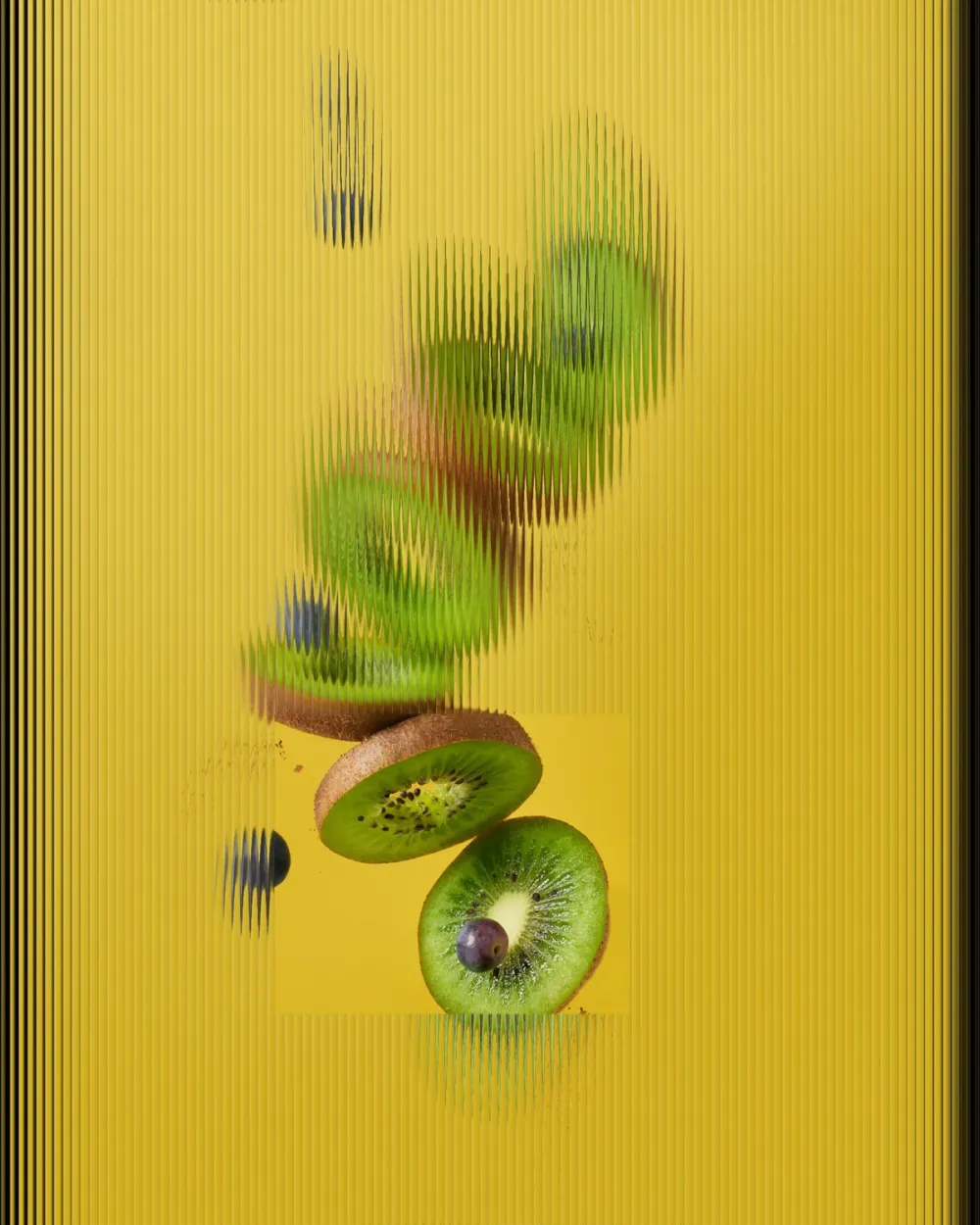
What fluted glass does to a photo
- Vertical strips. Each ridge shows its own slice of the scene, so the background turns into a rhythm of lines.
- Stretching. Shapes behind the glass are pulled sideways and repeated. Text behind it is no longer readable.
- Color and light survive. A sunset, a neon sign or a bunch of flowers stays recognizable by its colors even when the shapes are gone.
- A soft, private feel. That is why fluted glass is used in shower screens, cabinet doors and office partitions: you see that something is there, not the details.
The most striking fluted glass photos mix both: most of the frame is abstract, and one area is sharp.
Method 1: shoot through real fluted glass
Look for fluted or reeded glass around you: shower screens, cabinet or café doors, room partitions, ribbed glass vases and drinking glasses.
- Put the subject behind the glass, with some light on it.
- Hold the iPhone close to the glass, almost touching, so the reflections of the room stay small.
- Move the subject, or yourself, closer to or further from the glass. The closer the subject is to the glass, the more of its shape you keep; the further away, the more abstract it gets.
- To keep one part sharp, frame so that part sits beside the glass rather than behind it.
Limits: you need the glass where you are, fingerprints and dust show up, reflections of the room can creep in, and you cannot choose which part stays clear unless the glass ends there.
Method 2: build it in an editor afterwards
Desktop tutorials for Photoshop, Figma, Canva or CSS rebuild fluted glass with a striped pattern used as a distortion or displacement map, sometimes with a little blur and highlights on each stripe. This is flexible and good for design work, but it happens after the shot and takes a few layers to look real.
Method 3: fluted glass live in the camera with Ifscape
Ifscape’s Flute object puts a sheet of fluted glass over the whole camera view and cuts a clear window into it. You see the final result in the viewfinder before you take the photo.
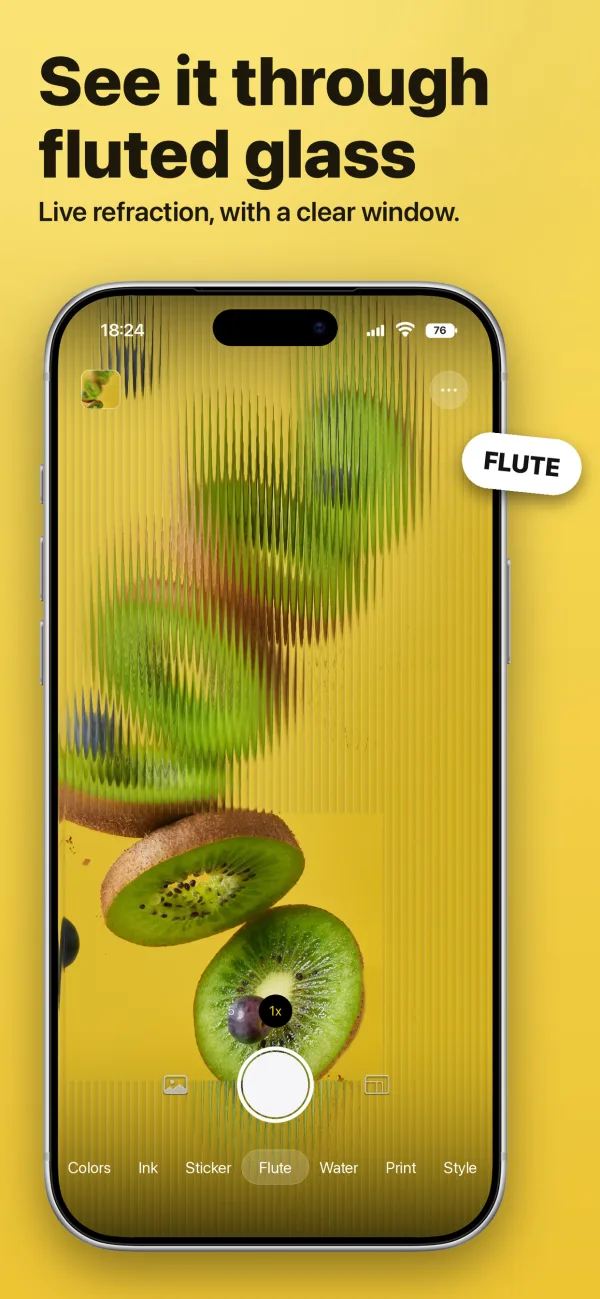
- Choose Flute. Open Ifscape and swipe the style bar to Flute. The frame turns into vertical fluted glass with one clear window.
- Move the window. Drag the middle of the window to move it over the part you want sharp: a face, a cup, a sign, a flower.
- Change its shape. Drag an edge or a corner to change the window’s width and height. Pinch to scale it.
- Add more windows. Double-tap an empty area to add another window, up to four. Double-tap a selected window to remove it when there is more than one.
- Tap the shutter. The thin outline you see around the window in the viewfinder is not saved; the photo shows only the glass and the clear window.
You can also import a photo you already took and apply Flute to it the same way.
Plan: Flute can be tried live in the viewfinder for free. Saving a Flute photo needs Ifscape Plus; the shutter shows a lock until then. Current prices are shown on the App Store.
Real glass, editor or camera: which to use
| Real fluted glass | Editor | Flute in the camera | |
|---|---|---|---|
| Needs | The glass with you | A computer and an editor | An iPhone with iOS 17 or later |
| Clear area | Only where the glass ends | Anywhere, by masking | Up to four windows you place |
| When you see the result | While shooting | After editing | While shooting |
| Best for | True reflections and texture | Design work and exact control | Quick shots on the go |
Fluted glass is not a filter
A filter restyles the whole photo the same way. Fluted glass is a layer in front of the scene: the stripes bend what is behind them, and a clear window keeps one detail exactly as it was. That contrast between the abstract strips and the sharp window is what makes the look.
Ideas to try
- A café table behind fluted glass, with a clear window on the cup.
- A portrait where only the eyes or the smile sit in the window.
- City lights at night: the stripes turn them into vertical streaks of color.
- A bunch of flowers: the colors spread across the stripes, one bloom stays sharp.
- A street sign or shop name in the window, the rest of the street abstract.
For other glass looks in the camera, see the liquid glass photo effect guide, and for the different meanings of the term, what is a liquid glass camera.
Fluted glass photo questions
What is a fluted glass photo?
A photo taken through, or styled like, fluted glass: glass with vertical ridges that each act like a small lens. The scene behind it breaks into soft vertical strips while colors and light stay visible.
Is fluted glass the same as reeded or ribbed glass?
They are close enough for photos. Fluted, reeded and ribbed glass all describe glass with parallel ridges, and they produce the same striped, stretched look.
Can I keep part of the photo sharp?
With real glass, only by moving the glass so part of the frame is outside it. In Ifscape’s Flute you drag clear windows over the parts you want sharp, up to four per photo.
Is Flute free?
Flute can be tried live in the Ifscape viewfinder for free. Saving a Flute photo needs Ifscape Plus. Current prices are shown on the App Store.